Your engine,
at a glance.
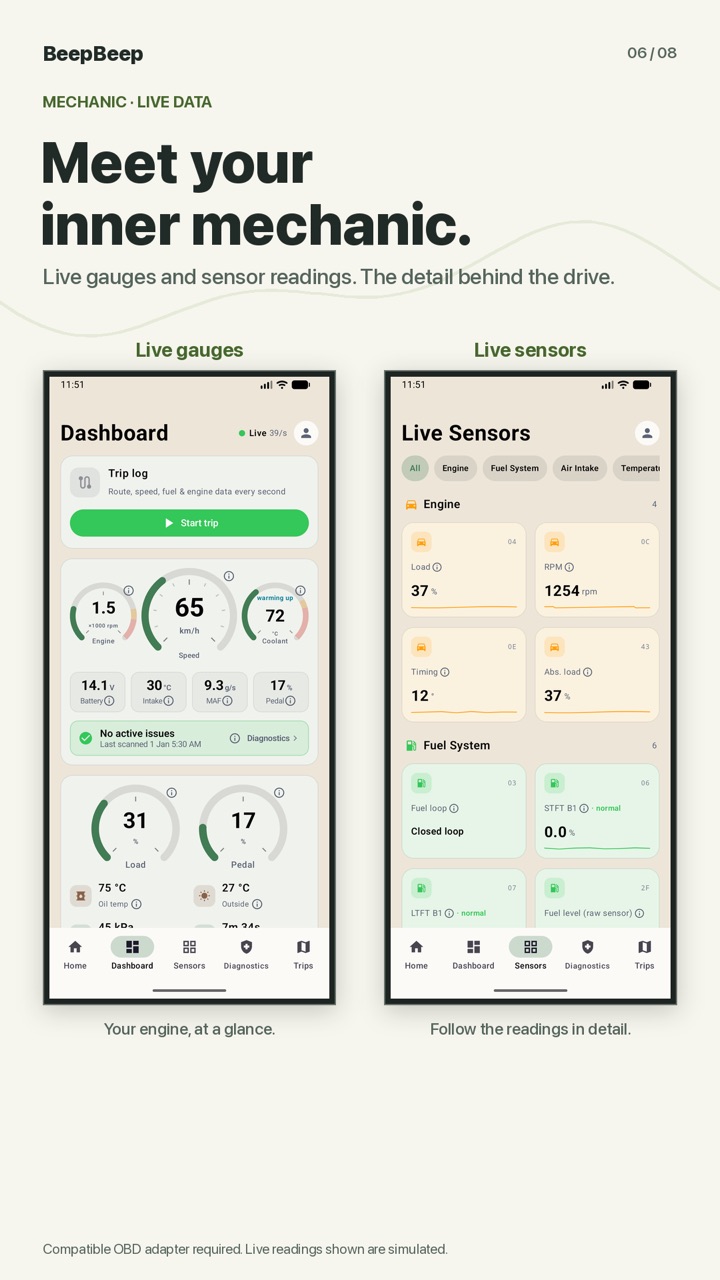
80+ sensors, each with its normal range and what it means. Charts, gauges, and every reading recorded on the trip.
Tripper + Mechanic
Plug a small OBD-II adapter into your car or bike. BeepBeep turns every drive into a little story, keeps a health passport for your vehicle in plain words, and one tap away gives you every gauge, sensor and trouble code.
80+ sensors, each with its normal range and what it means. Charts, gauges, and every reading recorded on the trip.
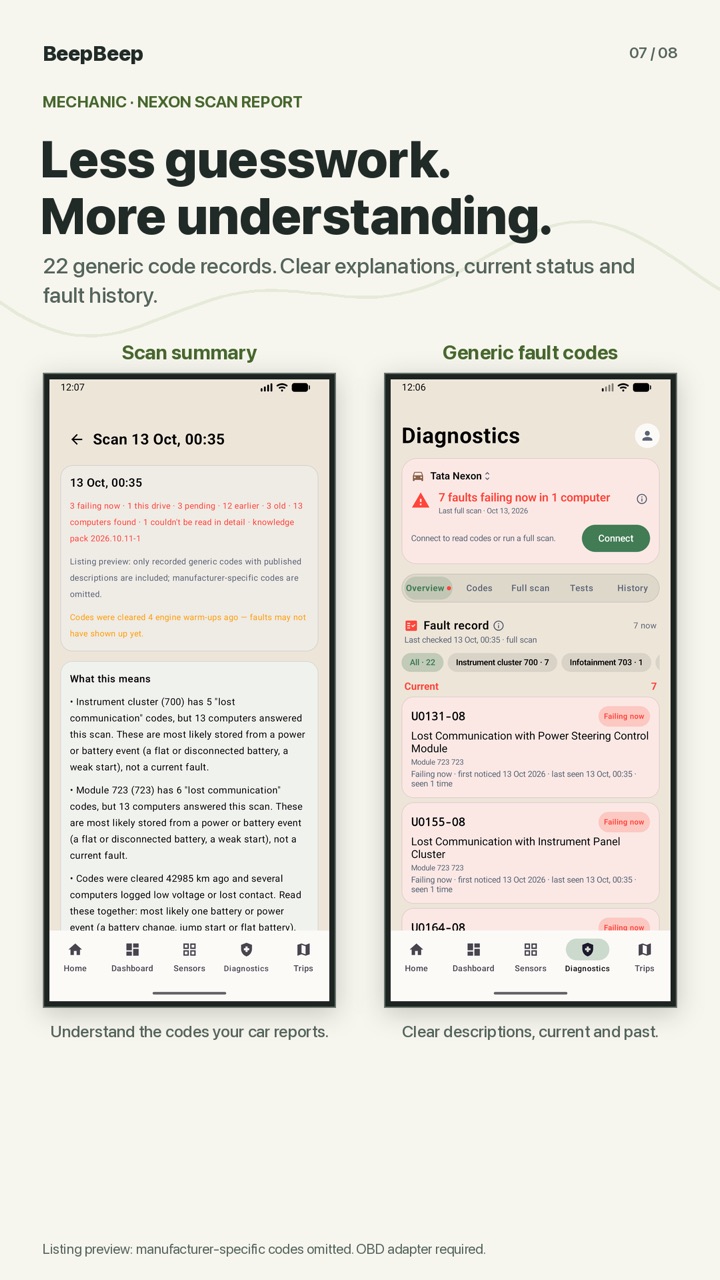
P0420: the catalytic converter is working below par. Usually not urgent; worth a check soon. Freeze frame: 62 km/h, 92 °C, engine load 41 %.
Cranking test: a healthy start. Charging test: the alternator keeps up under load. Each result kept with its date, so you see the trend.
Share it as a PDF, or tap Ask BeepBeep to review and the BeepBeep team writes back in the app.
Two ways to use it
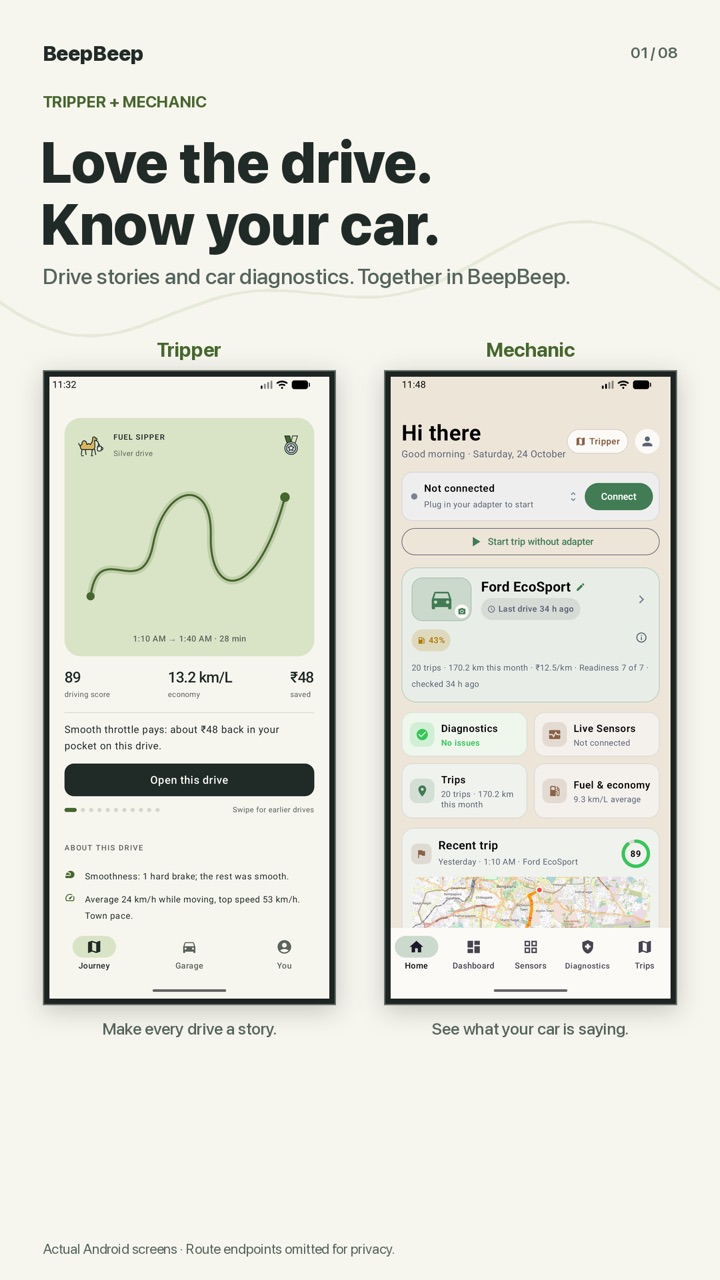
Tripper is for everyone: your drives, your mileage and your vehicle's health, told simply. Mechanic is for when you want everything: the full dashboard of gauges, sensors and codes. A small button at the top switches between them.
Tripper
A story after every drive, a health passport for your vehicle, your streak, stamps and personal bests. Calm on the road: no live score to chase while you drive.
Mechanic
Live gauges, 80+ sensors with normal ranges, trouble codes explained, full scans of the other computers, freeze frames, battery tests and a report for your mechanic.
Drive stories
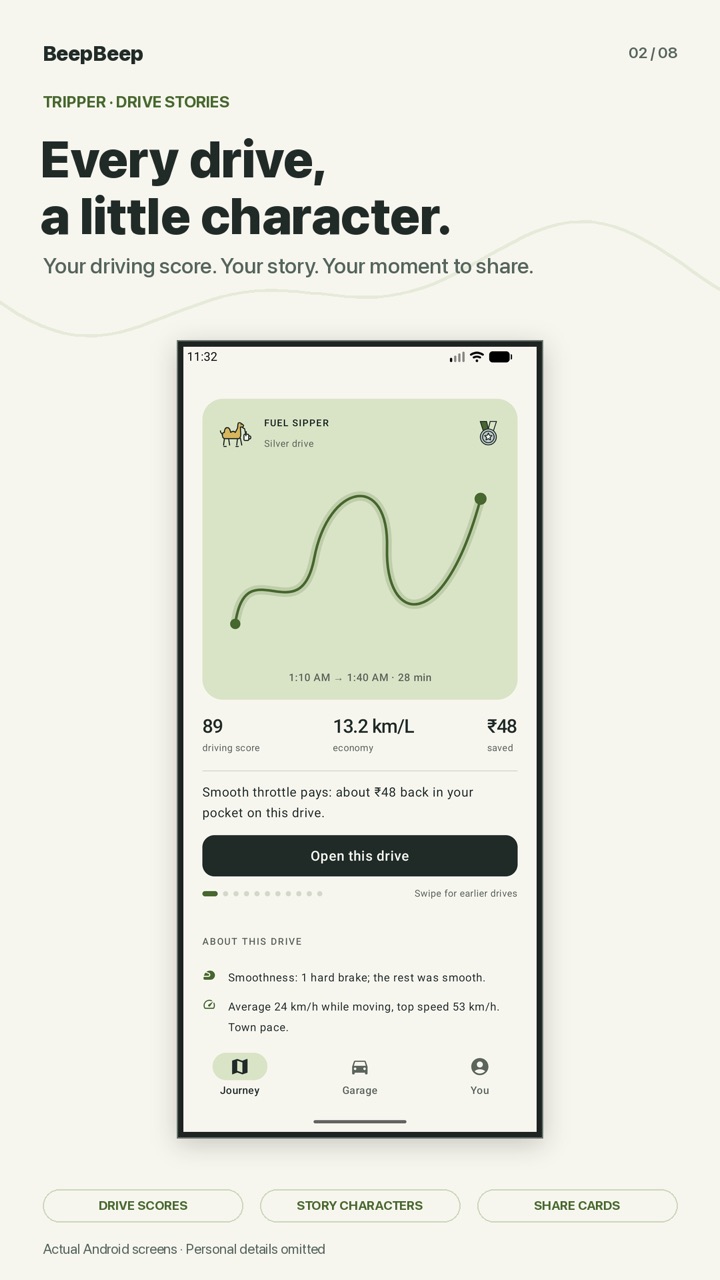
When a drive ends, BeepBeep picks the story that fits: one character, a short headline, a medal, three numbers and at most one gentle tip. Never a red mark; tomorrow's always a new drive. Every story is also a picture you can share.
Gold, silver and bronze medals come from a calm driving score. Bikes get "rides" and "riders".
Story worlds
Nine story worlds, each with its own colours, drawings and words: the tabs, the story names, the medals, the passport and even the headlines. Tap one: this whole page follows, just like the app.
In this world, the app says:
In the app: Tripper mode → You → Settings → Look → Appearance → Story worlds. Status colours and plain meanings stay the same in every world.
Your vehicle's Health passport
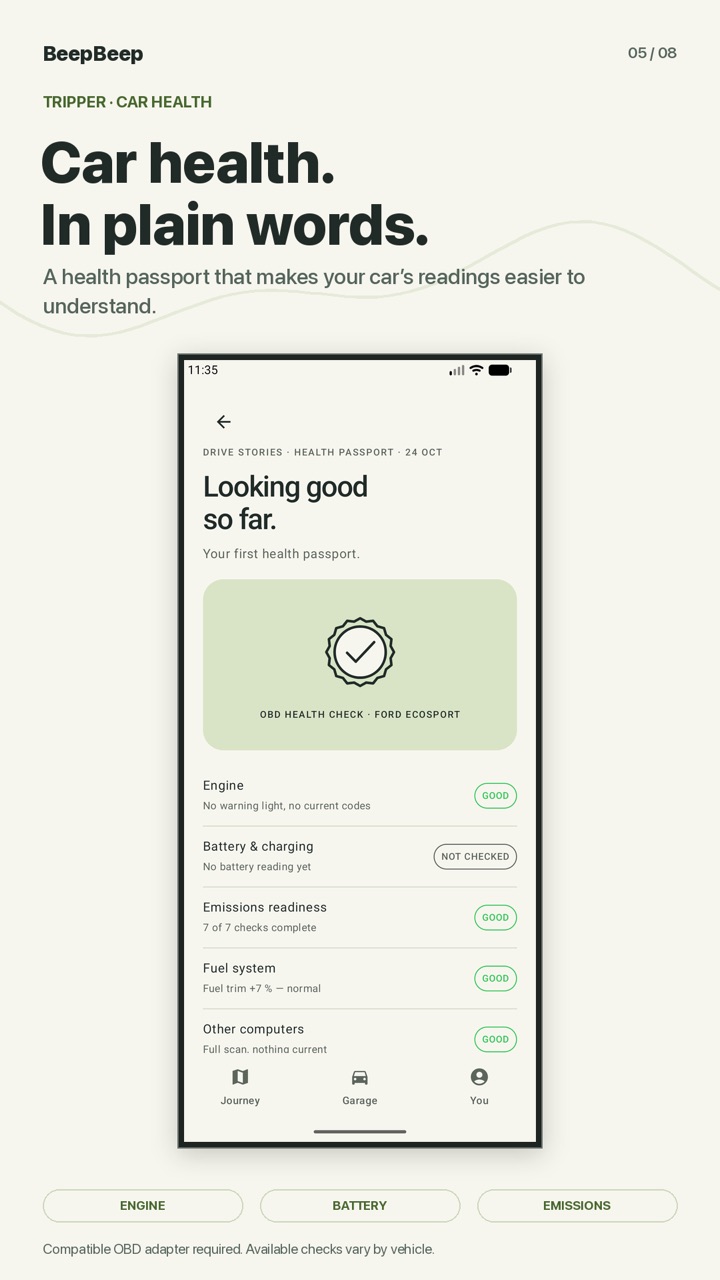
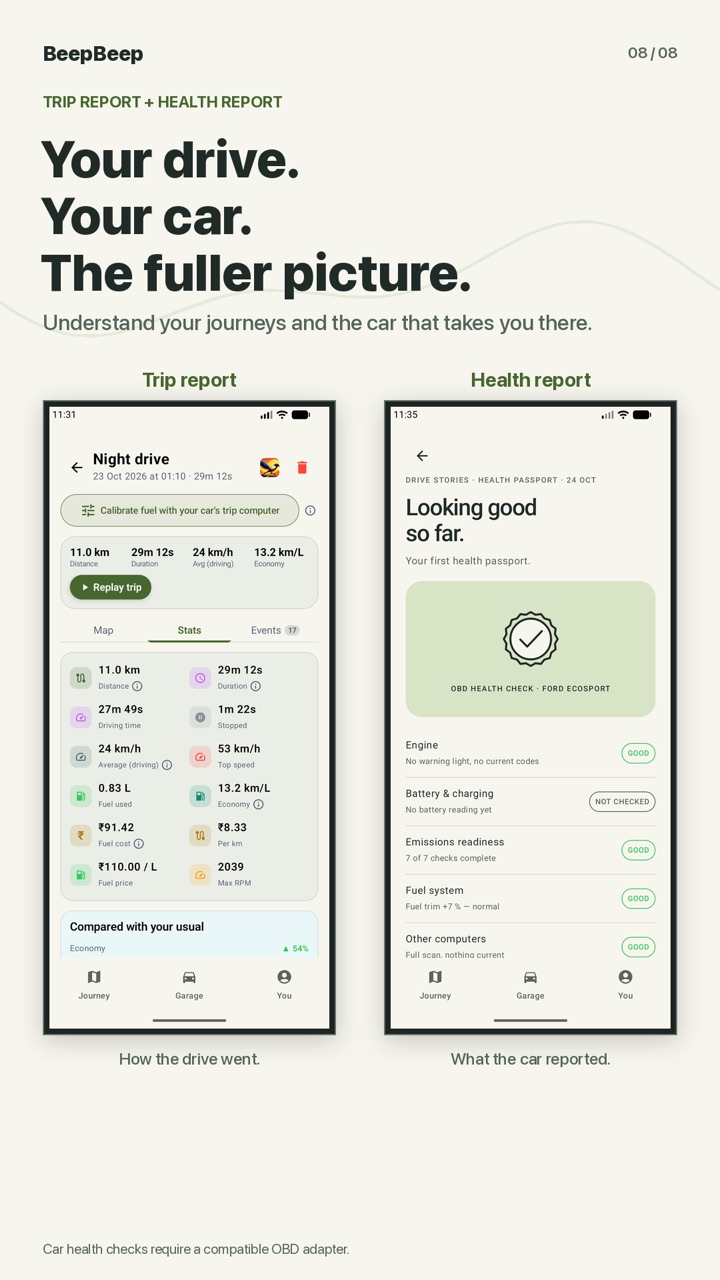
Five areas, each with a plain-word stamp. No grades, no scary numbers. Honest about what wasn't checked: a missing reading never counts as healthy.
From there: a full scan, the codes explained, battery and cranking tests, a PDF for your mechanic, or "Ask BeepBeep to review" and the team writes back.
Mechanic mode
One tap away from the stories: the full toolkit, with every reading explained.
Speed, RPM, coolant, boost, trims and more, as gauges and charts, each with its normal range.
Stored, pending and permanent codes in plain words: likely causes, symptoms, how hard the fix is.
A full scan asks the engine and the other computers it can reach (body, ABS, airbag…) for their codes.
Codes, freeze frames, readiness and readings in one report you can hand over.
From your engine's own airflow and load, checked against fill-ups. Petrol, diesel, CNG and E20.
Readiness monitors show whether your vehicle will pass an emissions test.
Resting voltage, cranking and charging tests, and a trend over time.
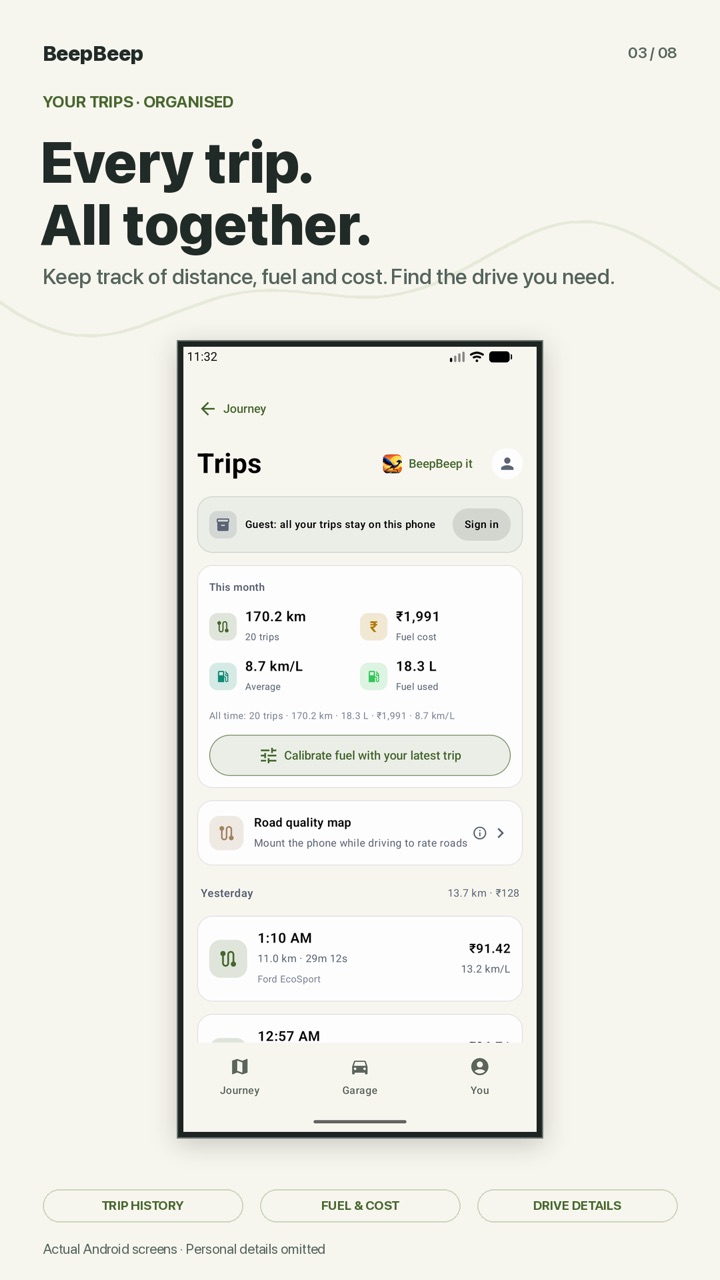
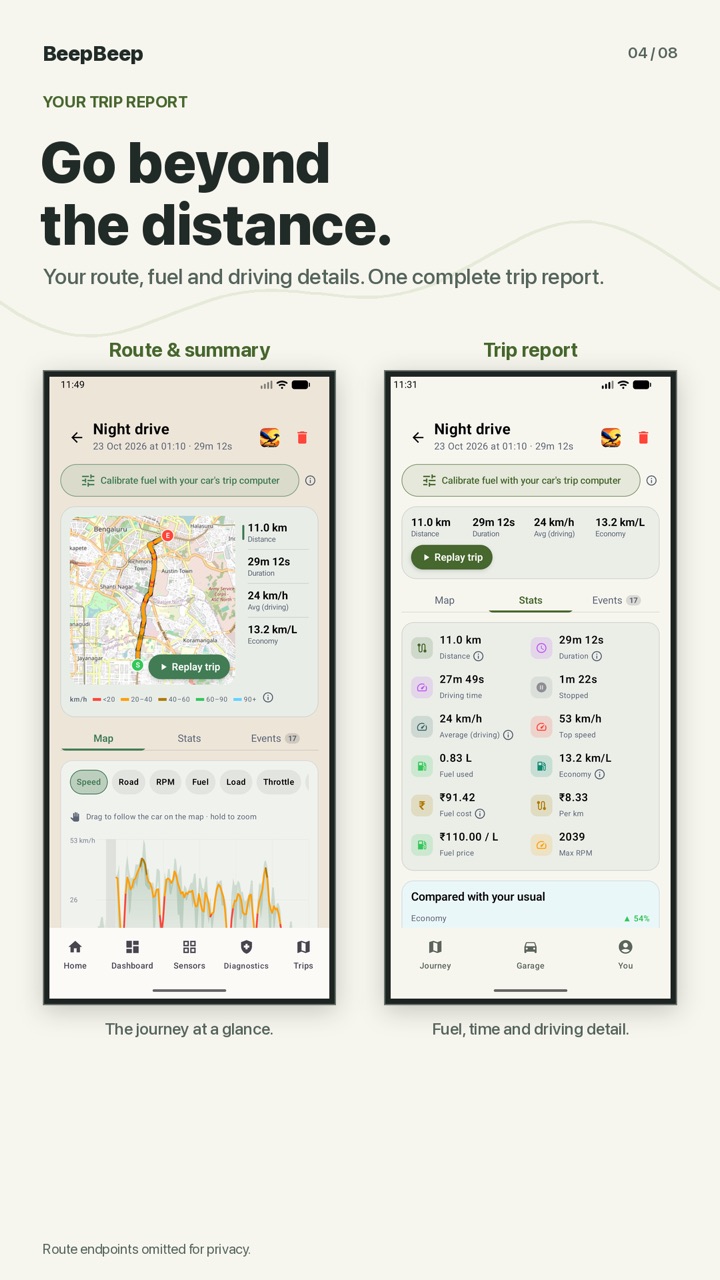
Route coloured by speed, fuel, cost and idling. Share as a picture, spreadsheet or GPX.
Engine, battery & charging, emissions readiness, fuel system and the other computers, each with a plain word, the readings behind it and the change since last time.
A PDF with codes and their freeze frames, readiness, tests, idle readings and every computer the scan reached. Show it at the workshop or send it ahead.
Send a full scan to the BeepBeep team from the app. A person reads it and writes back, in the app, in plain words.


Get started
A small OBD-II adapter goes into the diagnostic port, usually under the dashboard near the steering wheel. Which one to get
Ignition on, tap Connect and pick your adapter. No need for Bluetooth settings: BeepBeep connects it for you. Step-by-step with screenshots
Trips record by themselves. When you park, your drive's story is waiting.
Android: any Bluetooth, Wi-Fi or USB adapter. iPhone (iOS 17+): Bluetooth LE or Wi-Fi adapters.
Cars with OBD-II: India since about 2008 (BS-IV), Europe since 2001/2004, the USA since 1996. Bikes need a cable for their own connector.
Any ELM327-compatible adapter works. Newer ones are faster and read more. Compare them
Privacy
Routes, fuel and vehicle data stay on your phone, and in your private account if you sign in. Only you can see them.
What BeepBeep learns to improve the app is anonymous: never your name, account, VIN or where you were.
Everything works without signing in. Delete your account and everything in it goes.
We don't sell data, show ads or track you. This site loads nothing from other companies.
Questions
No. It only reads standard diagnostic data. The one thing it can change is clearing trouble codes after a repair, and it always asks you first.
Almost certainly, if it's from the last 15 years. Some vehicles share fewer readings than others; BeepBeep shows whatever yours provides, and says plainly what it couldn't read.
BeepBeep for iPhone is in early access through Apple's TestFlight app. It takes two minutes: the iPhone install guide.
Any ELM327-compatible OBD-II adapter works. Version 2.1 is what most people have; 2.2 and newer read faster and more. On iPhone, pick Bluetooth LE ("BLE", "4.0") or Wi-Fi. The adapter guide
No. Signing in with Apple or Google is optional; it backs up your trips, vehicles, fill-ups and settings to your private account so they come back on a new phone. Without it, everything stays on your phone.
It's calculated from your engine's own airflow, load and fuel data, and checked against your fill-ups. Compare it once with your trip computer and calibrate it with a tap.
Switch the ignition on (engine running is best), make sure the adapter is pushed in fully, and connect again. The connect guide covers the common cases, and support is one email away.
Questions, adapter tips, drive stories and what's coming next.